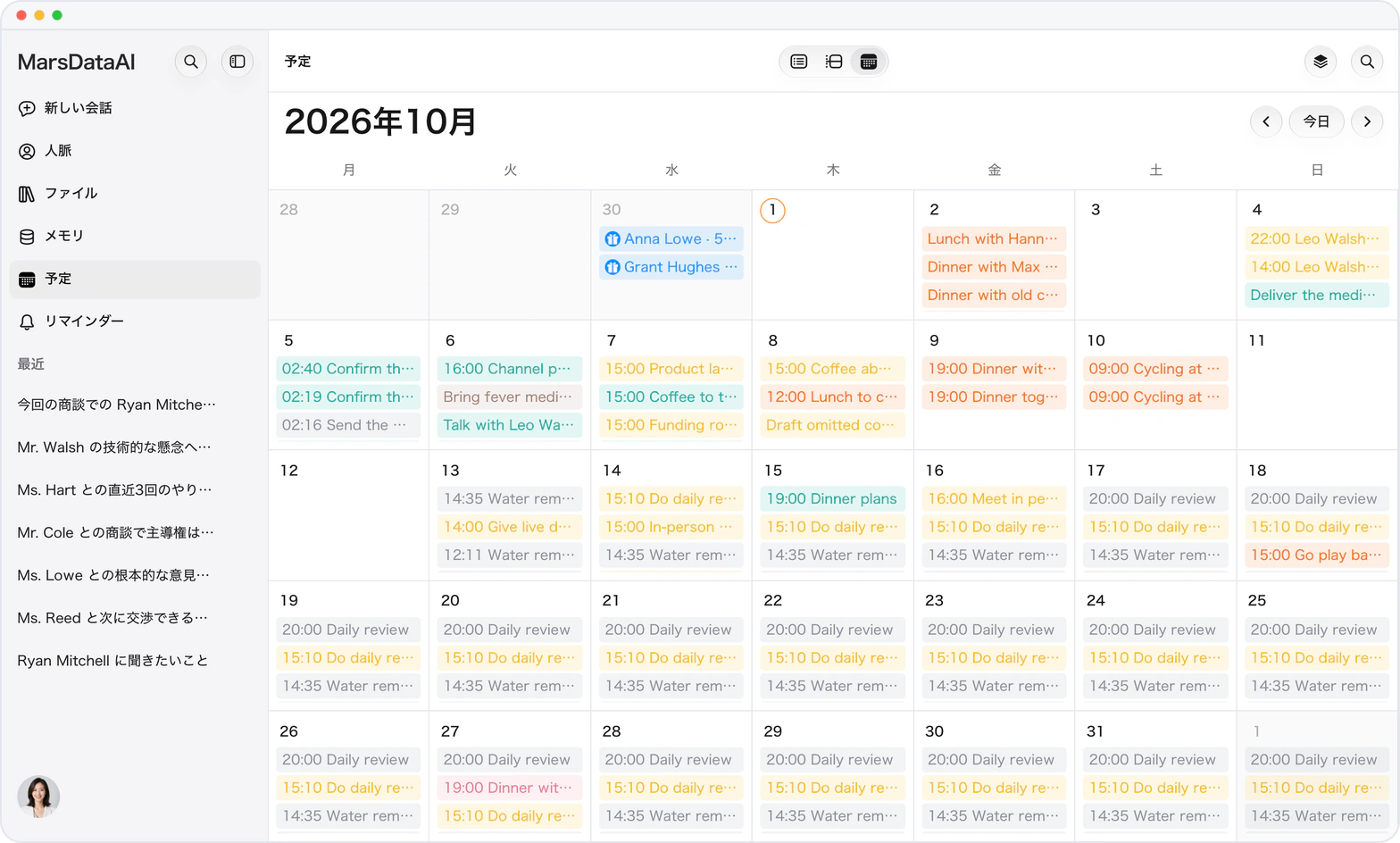
Calendar in one app, contacts in another? This AI calendar assistant keeps them as one record: say it once in chat and it is saved.
Open Events to see your schedule by day, week or month, or jump to any date on the mini calendar. Tell MarsDataAI about an upcoming meeting in chat and it saves the event and links the participants, so the same record shows on each person's Events tab, on the web and iOS, with nothing to enter twice.
How an AI calendar app saves events from chat
Tell MarsDataAI about an upcoming meeting in chat, and it saves the event and links the people involved. You do not switch between a calendar and a contact list. Open Events to view the day, the week or the month, or jump to any date on the mini calendar. The page also searches and filters by type. Sort by value and high-value events, such as signed deals, funding and referrals, rank above routine logistics. Time order stays the default, so you can switch back at any point.
Who should use this AI calendar assistant
Use MarsDataAI when meetings, reminders and relationship notes are spread across different apps. Each event can be planned, happened or cancelled, and past-dated events are marked happened on their own. Swipe or right-click an event to complete, edit or delete it, and tap it to reopen the conversation it came from. Deleting an event also removes insights drawn from it, so check before you delete. Events with reminders also appear under the Reminders entry in the sidebar, so the schedule and the nudges stay together.
Group events and shared history in one record
Group events list every participant, so every participant sees the same record. A relationship between two contacts can show the events they shared, along with its own type and summary. Use the mini calendar to jump to a date, then switch between day, week and month without retyping anything. The record stays yours to change: complete, edit or delete an event whenever the plan moves. Each row keeps its swipe and hold actions, whichever order you pick.
One sentence keeps your schedule and relationship history in sync, so no meeting gets lost.
See the rest of Events, Calendar & Smart Reminders in MarsDataAI Wiki.