AI meeting notes: recording in, report deck out
A typical AI notetaker leaves you a transcript and the rest of the work. Mars takes your AI meeting notes further and turns the recording into a report deck in one sentence: decisions, action items and each side's views, every one traced to the recording. It also files what each person said under their name and drafts your follow-up.
One sentence turns the recording into a report deck
Attach the audio or video of a call, up to 2 GB, straight into the conversation; recordings longer than 20 minutes are transcribed in parts. Then say "turn this recording into a report deck". Mars listens to the whole meeting and builds an editable PowerPoint deck: meeting summary, key decisions, action items, each side's views, risks and open questions, and the next step. No scrubbing back and forth, no copying minutes into slides by hand.
- Audio and video files up to 2 GB, including MP3, M4A, WAV, MP4 and MOV
- An editable PowerPoint deck from one request, to preview and download on the web and iPhone
- Just the notes? A meeting summary, decisions and action items on request
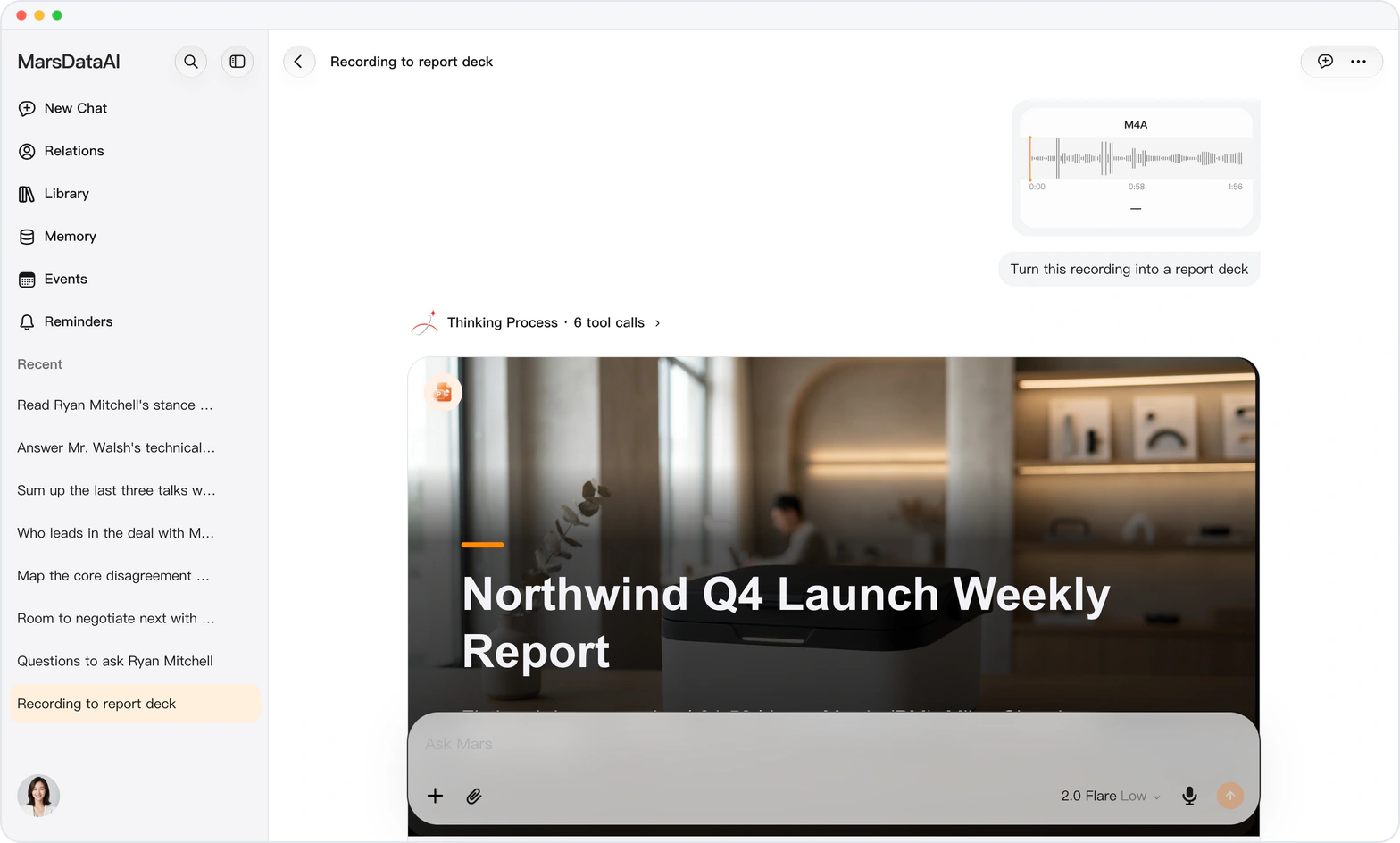
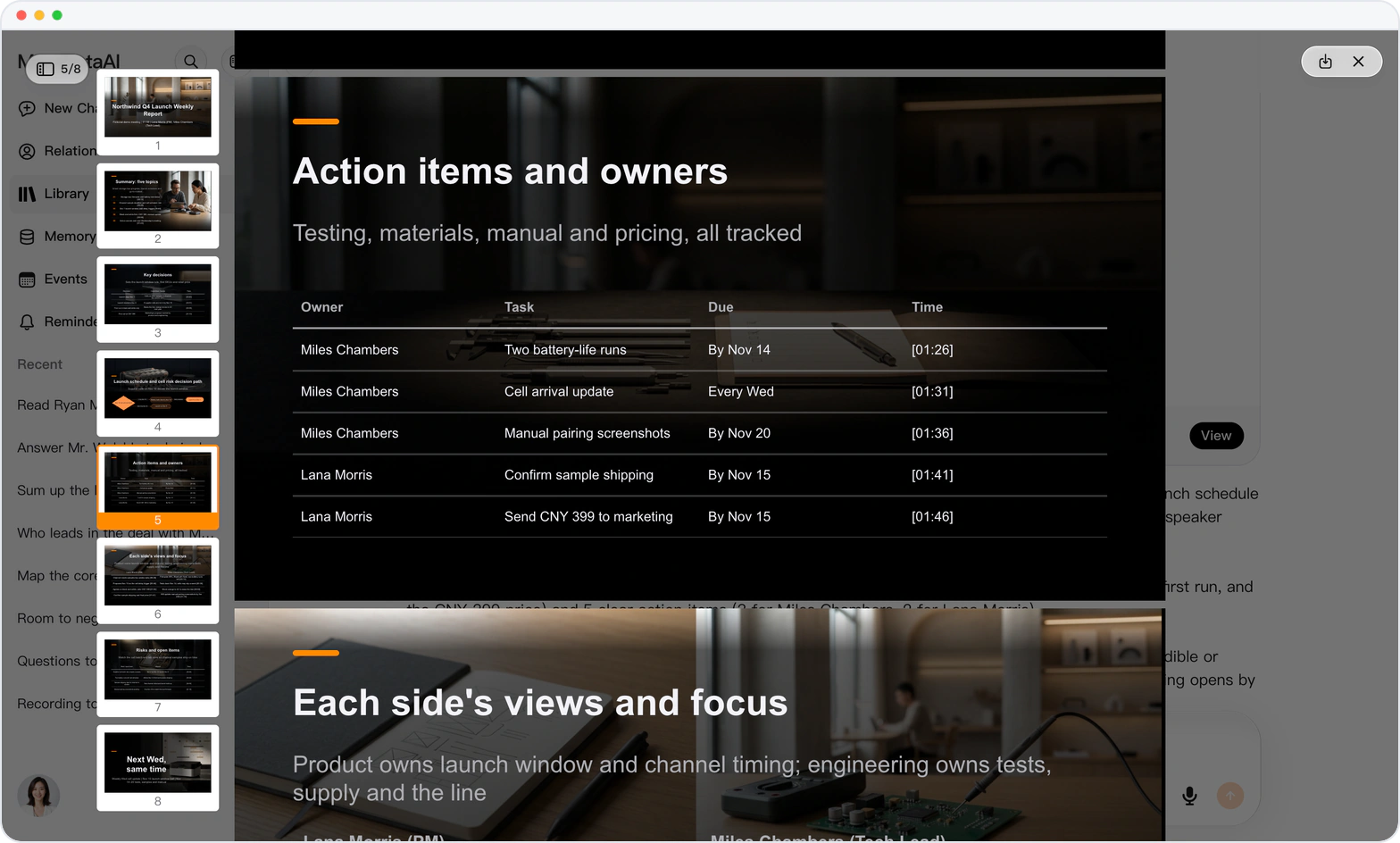
Who does what, by when, traced to the recording
Action items land in a table of owner, task, due date and time said, including promises made in passing and standing duties like a weekly sync. Key decisions keep their "if this, then that" condition whole. Before building the deck, Mars goes back over the meeting for commitments and decisions only and adds any it missed. Every row carries its [mm:ss] time, and the speaker notes say where it came from.
- Action items by owner, task, due date and recording time
- Decisions with their conditions, nothing taken out of context
- Check any row by jumping to that moment in the recording
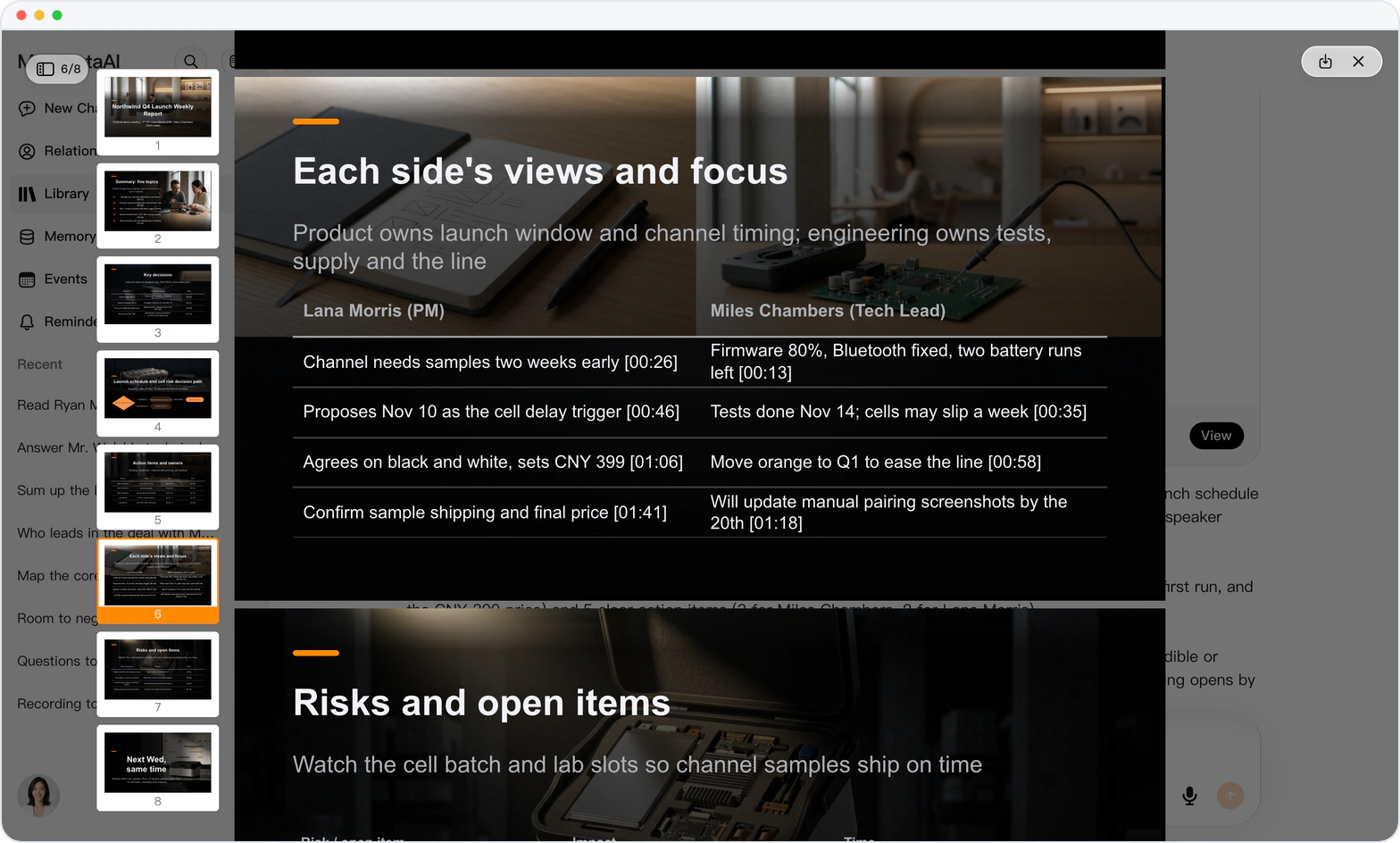
Who said what, under the right name
Mars's own speaker recognition tells the voices in a recording apart. Ask for minutes and you first get a who-said-what transcript table of speaker, time and words, where a tap on the time jumps the recording to that second; ask for a deck and the views slide gives each speaker a column. Names come only from the recording, from you or from a mapping you confirmed; otherwise it writes Speaker 1 and Speaker 2. Once you confirm which contact a voice is, their lines and the follow-ups land on that contact, and your follow-up is drafted from what was actually said. You send the deck and the message; Mars never sends them for you.
- A who-said-what transcript table, every time one tap from the recording
- An unclear voice is marked unconfirmed, never guessed
- Confirm who a voice is, and their words and follow-ups land on that contact
An AI note taker that never joins your call
Most AI note takers send a bot into your video call. Mars works after the meeting instead: record the call the way you already do, with your phone, your meeting app or a voice recorder, then attach the audio or video, up to 2 GB, to a conversation and ask for the meeting notes. For example, after a 45-minute client call you upload the MP4 and get a who-said-what transcript table, the summary, each decision with its condition and an action item table of owner, task and due date, every line timed to the recording. Ask for a report deck or a follow-up draft only when you need one.
- No bot in the meeting: upload the recording when it ends
- Notes on request: transcript table, summary, decisions and action items
- Every line carries its [mm:ss] time in the recording
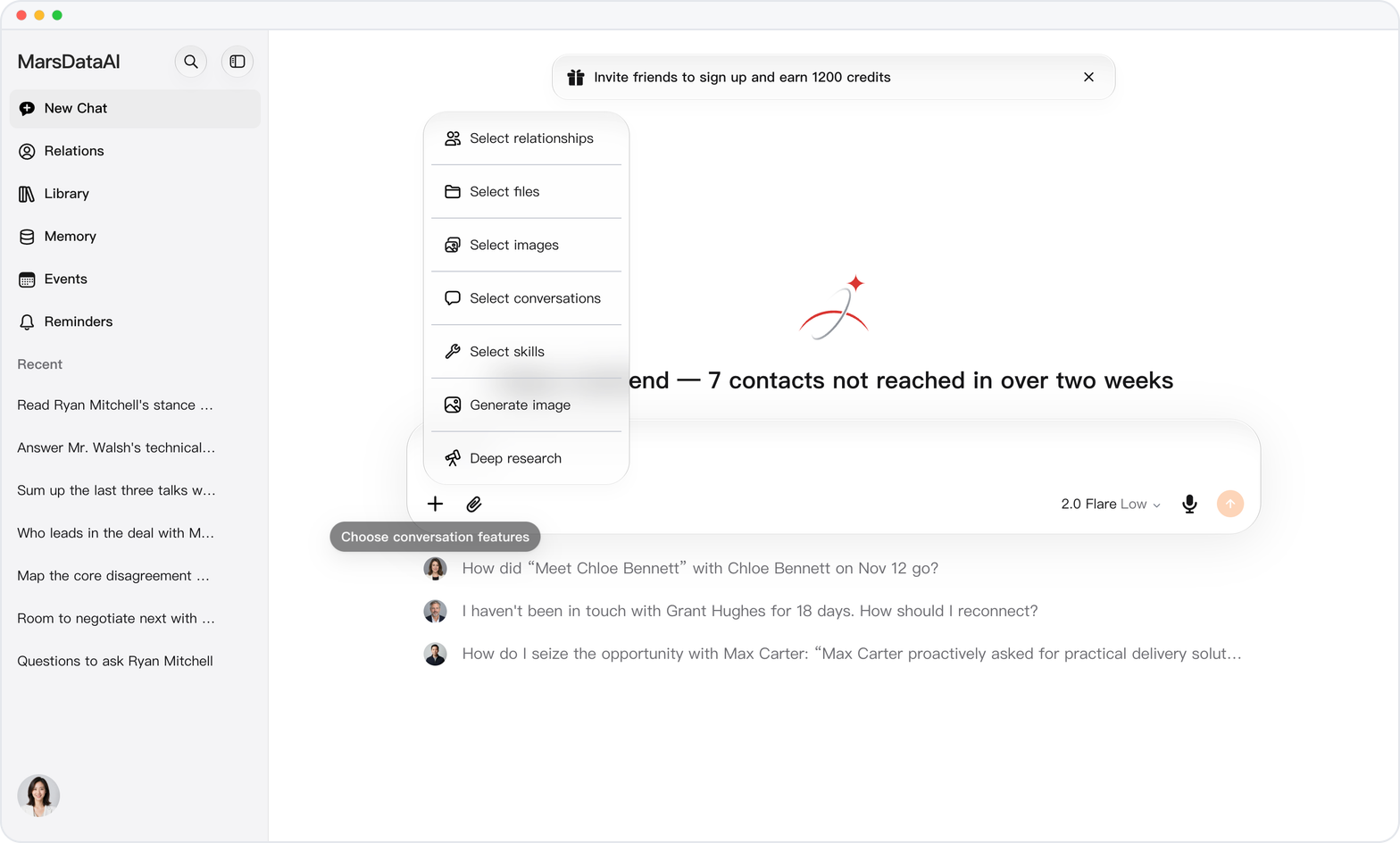
From recording to report
- UploadAdd the meeting recording or your notes to a conversation.
- AskSay "turn this recording into a report deck", or ask just for the summary, decisions and action items.
- DeliverDownload the deck, copy the drafted follow-up and send it from your own inbox.
See the rest of Use cases in MarsDataAI Wiki.