Mars in one tap, no app to open
A business card, an idea, a question: they rarely wait for you to find the app.
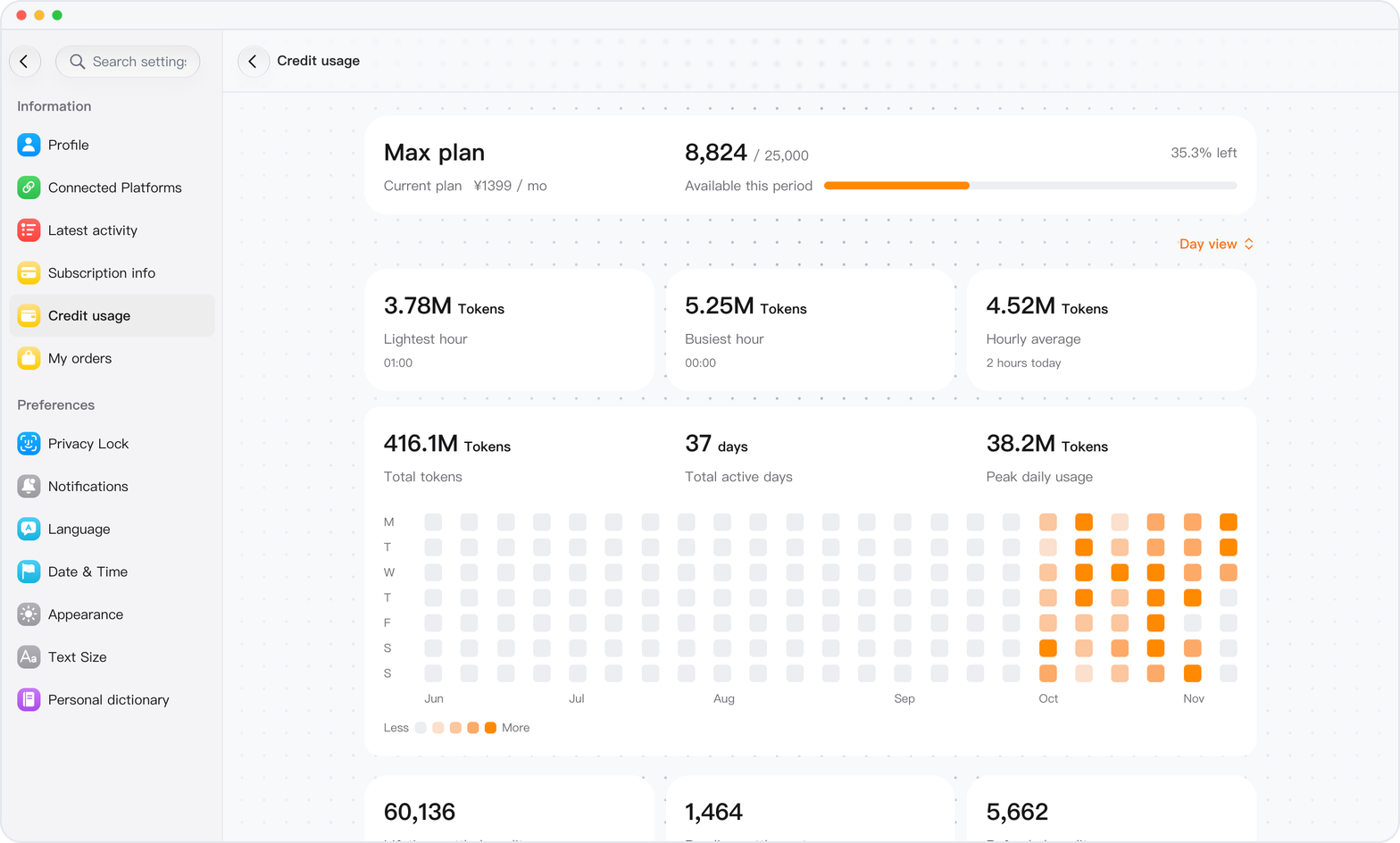
Add Mars widgets to the iPhone Home Screen, the Lock Screen or the Mac desktop. Quick actions shows an orange plush bot that greets you by name for the time of day, with your next event, a person worth reaching out to or a suggestion such as snapping a business card; an event about to start stays until it begins. Its four buttons open a new conversation ready for the camera, voice input, a photo from your library or deep research. Credit usage shows the last weeks of your daily token heatmap and opens the usage page when tapped; the small credits card shows the share used, used and remaining credits, your plan and when the subscription ends, in light, dark or following the system. On the Lock Screen, add the Mars logo, voice input and camera upload buttons, and a plan and credits bar. Widgets refresh when the app opens and when you leave it, so the Lock Screen reflects credits you just spent, and signing out clears them. Siri and Spotlight also offer new chat, voice input, upload screenshot and view reminders. Your shortcuts and your credits sit where you can see them, with no app to open first.
Capture a card, a voice note or a research question the moment it comes up, and always know your credits.
See the rest of the October 24 release in the changelog.