Share only with the people you choose
Once a link is forwarded, who knows who opens it? Now you decide.
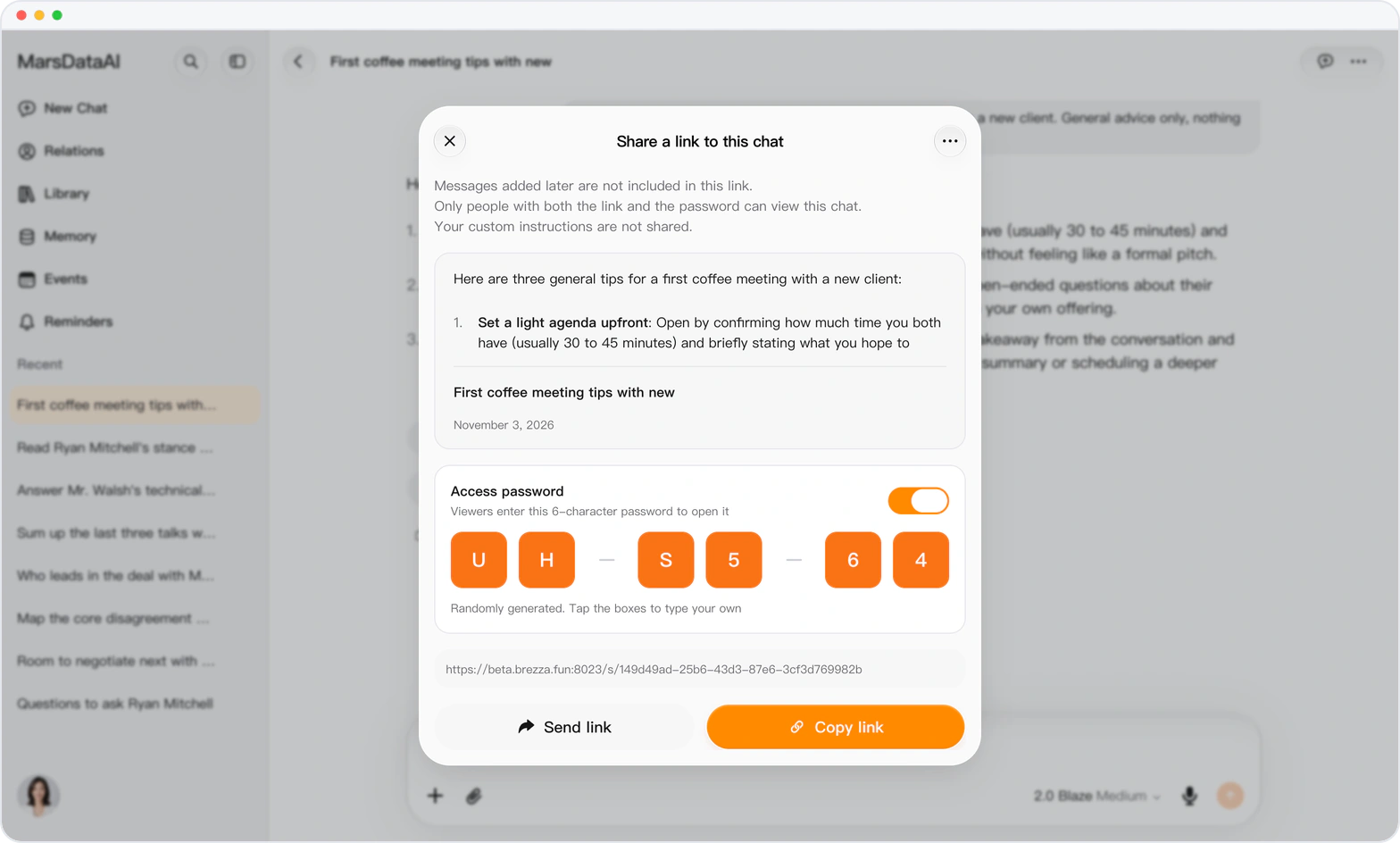
Open a conversation's share sheet and turn on Access password. Mars creates a random six-character password, or tap the boxes to type your own. Anyone who opens the link enters the password before the conversation appears, so send the two separately; a forwarded link alone opens nothing. After ten wrong attempts the link pauses for a while. Once a conversation is shared, its menu shows View share, where you can read or change the password or turn it off at any time.
Share with confidence: only the people you choose can read it.
See the rest of the October 22 release in the changelog.