Why does MarsDataAI ask clarifying questions?
Long tasks go wrong when they guess. MarsDataAI asks clarifying questions first, then acts, and every answer can branch, read aloud or retry.
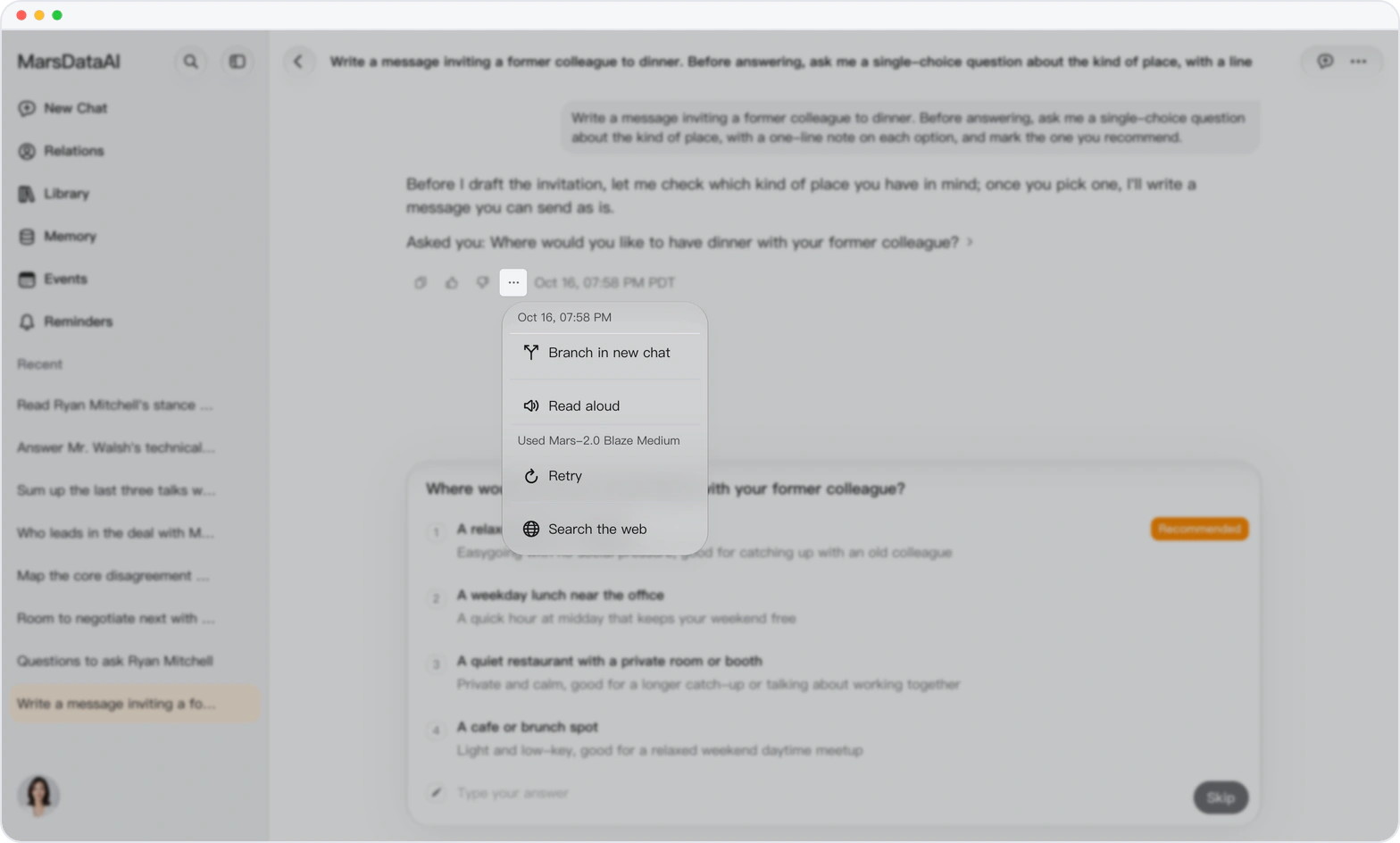
When MarsDataAI needs your call, it opens a question panel above the composer with up to five numbered questions: pick an option or type your own answer. Find in Chat jumps to any keyword in a long thread. The menu under every answer branches the conversation, reads it aloud with pause, 15-second skip and speed control, switches models, retries with web search or quotes the text you select, with no copying and pasting.
AI follow-up questions in a panel above the composer
When MarsDataAI needs your call, it replaces the composer with a short question panel. The panel holds up to five clarifying questions, one per page. Each question shows numbered options with a recommended choice, and you can pick one or type your own answer in the free-text Other field. Your answers survive closing and reopening the panel. The panel appears only when MarsDataAI needs a decision from you, so ordinary chat stays uncluttered and easy to follow. MarsDataAI works through these questions before it acts, so the direction is settled first.
The answer menu: branch, listen, switch and retry
Every answer has a more menu. It creates a branch into a new chat, and it reads the answer aloud with a floating bar that pauses, skips 15 seconds and changes speed. It also shows the model used, switches models, retries with web search, and quotes the text you select, with no copying and pasting. Find in Chat searches the open conversation when a long thread gets hard to scroll. Long-press or right-click your own message to copy, select or share it, and on iOS selected answer text also offers Read Aloud.
Fewer wrong turns, right the first time, and every answer is easy to find, hear and reuse.
See the rest of Conversations & Agent in MarsDataAI Wiki.