How to map a trip with the AI travel planner
An AI travel planner for multi-day trips: every stop lands on one interactive map, and complex ideas draw as charts while you read.
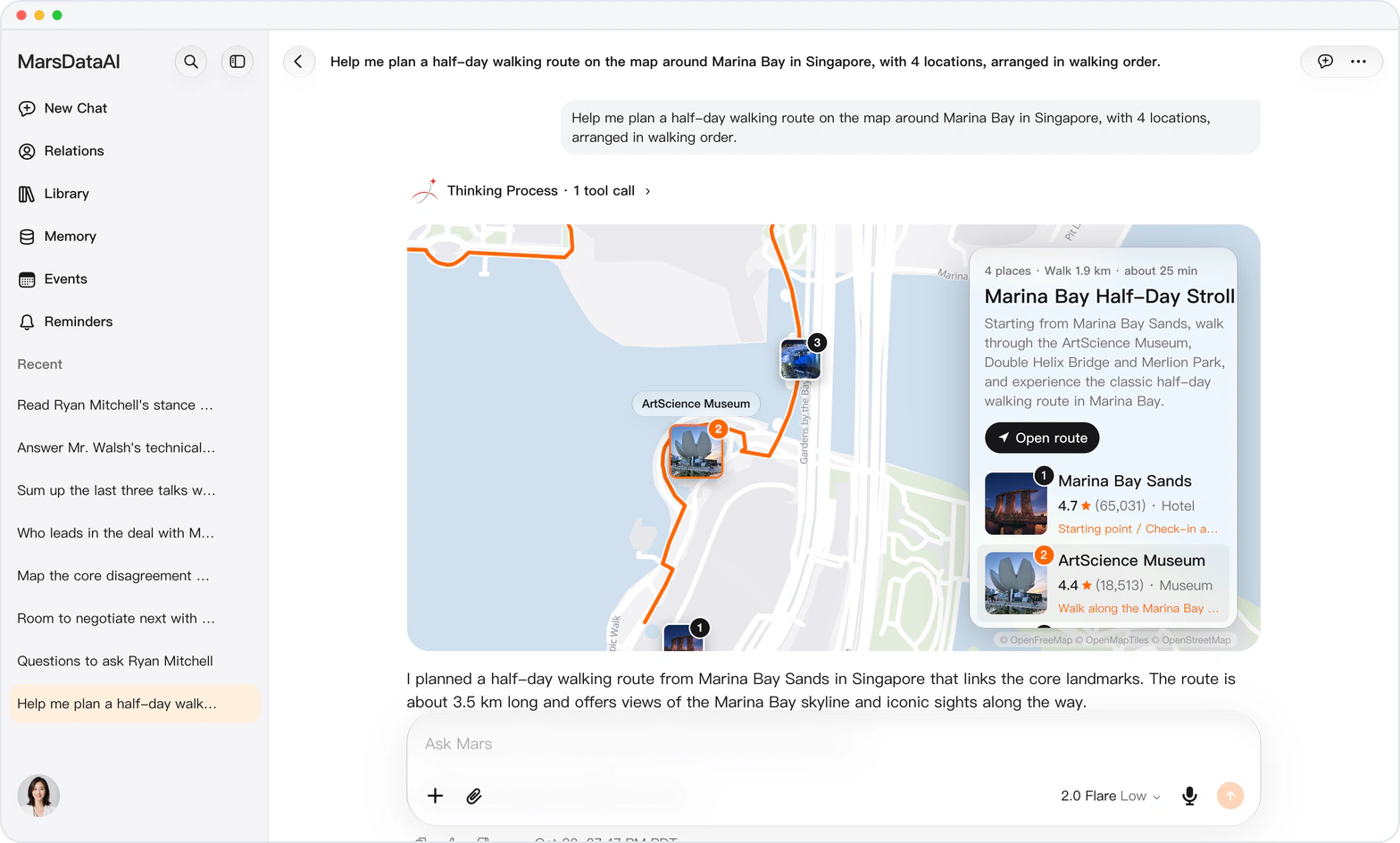
Data charts and structured diagrams (flowcharts, mind maps, sequence diagrams and timelines) draw while the answer streams, with key insights and follow-up questions, and re-flow to a vertical layout on narrow screens so they read just as well on a phone. Planning a trip, MarsDataAI renders an interactive map in the conversation: switch days to see each day's stops and route, tap a place for photos, ratings and address, and open the route in your maps app when you set off, with no jumping between guides and maps.
AI charts that draw while the answer streams
Ask a question that needs structure, and MarsDataAI answers with charts drawn live as the words arrive. Data charts, flowcharts, mind maps, sequence diagrams and timelines each arrive with key insights and follow-up questions beside them. Tap any chart to open it full size, or download it as a PNG. On a narrow screen the layout turns vertical, so the same chart reads just as clearly on a phone. When a dataset is only illustrative, the chart says so.
Plan each day of a trip on one interactive map
Planning a holiday or a business trip, you can use an AI travel planner that shows an interactive map inside the conversation. Switch between days to see each day's stops and route. Tap a place to see its photos, ratings and address. When you set off, open the route in your maps app with one tap. Use it when a trip runs over several days and the stops would otherwise sit in separate guides, notes and map apps. Everything stays in one chat, so you never jump between a guide and a map.
Bring charts straight into your reports, and know your route before you leave.
See the rest of Deep Research & Visual Cards in MarsDataAI Wiki.