How to make slides with an AI poster generator
Use this AI poster generator to turn a few words into a whole deck of posters: one giant word per slide, a cut-out subject and a short caption.
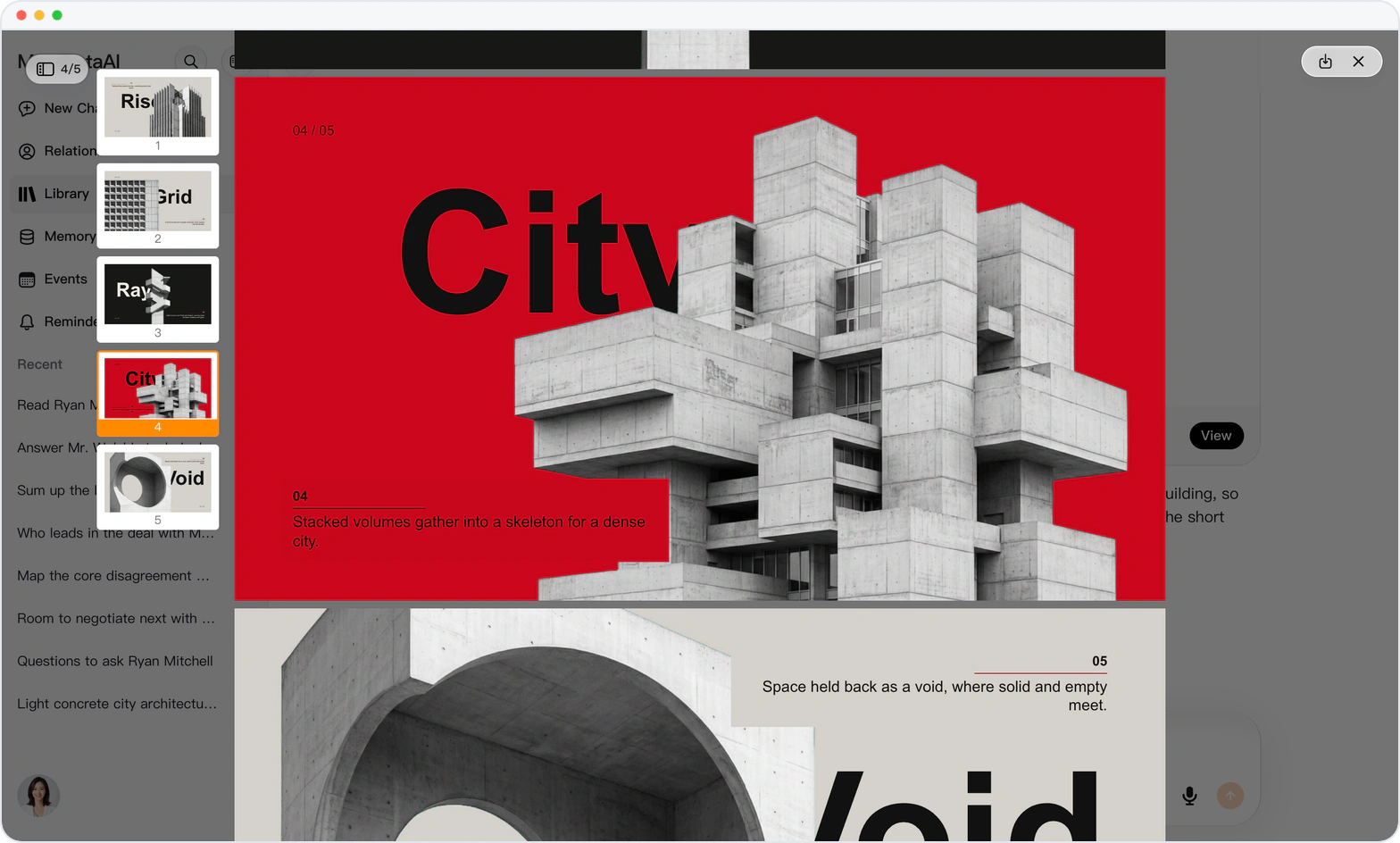
Ask MarsDataAI for a deck in the light concrete poster look, or just name the giant words you want. Each slide carries one word of one to four characters in huge type, and MarsDataAI places the cut-out subject over a corner of it, like a magazine cover; a short caption and the page count sit in the corner the subject leaves clear. Pages run on warm concrete paper, and in a longer deck one slide turns carbon and one signal red for rhythm. An ordinary dark MarsDataAI deck can carry a few of these posters between its content slides too.
How an AI poster maker lays out each slide
Name the giant words you want, or ask for the light concrete poster look and let MarsDataAI choose them. Each slide carries one word of one to four characters in huge type. MarsDataAI then places the cut-out subject over one corner of that word, the way a magazine cover does. A short caption and the page count sit in the corner the subject leaves clear, so the type and the picture never compete. Pages run on warm concrete paper, and all text stays native and editable.
Mixing poster pages into a standard deck
The default dark MarsDataAI theme can carry a few poster pages between its content slides, so you do not have to switch the whole deck. In a longer poster deck, one slide turns carbon and one turns signal red, which keeps the rhythm from page to page. Good places for a poster are an opening, a section break or a closing line that should stop the room. Ask MarsDataAI to adjust pages you already have, and it saves a revised copy that keeps the other slides as they were.
Who it suits and what you keep
An AI poster generator suits a short, bold opening, a launch or a closing slide where a few words should carry the room. It is less suited to pages of dense tables or long figures, which belong in a data-led deck. This AI poster generator leaves the words and their order in your hands, and every text box stays editable in PowerPoint, so the design never locks your message in place.
A few words become a deck that looks designed, not typed, and owns the room from the first slide.
See the rest of Slide Decks & Templates in MarsDataAI Wiki.