How to reach a Gmail AI assistant from WeChat
Your Gmail AI assistant lives in the WeChat you already use daily. It reads only the mail you ask about and never edits or sends it.
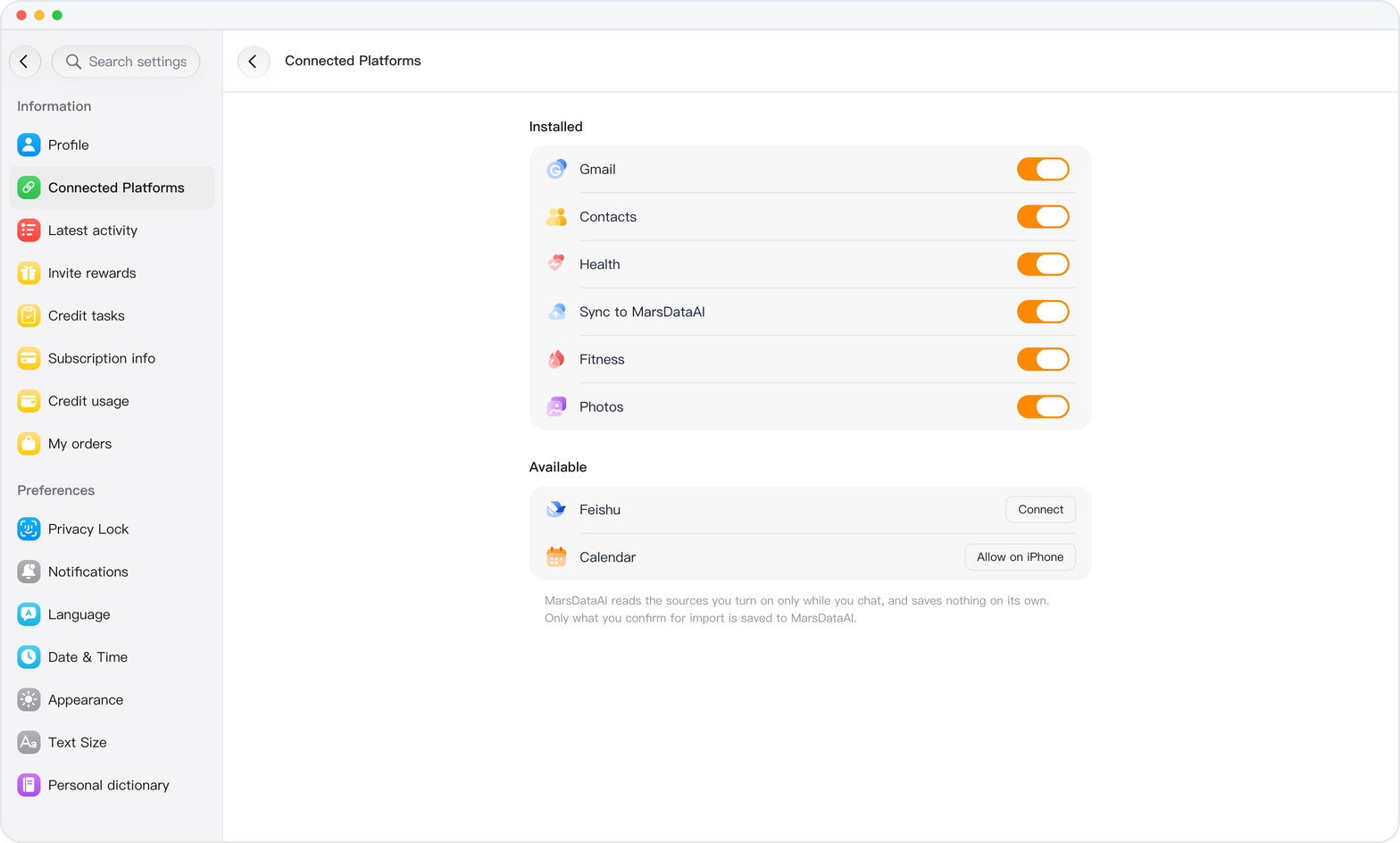
Scan the QR code under Settings > Bind WeChat to talk to MarsDataAI right in WeChat, with event reminders on every bound account. Connect Gmail read-only under Settings > Connected Platforms and MarsDataAI can search and read the mail you ask about in chat, but never edits or sends a message, so you can use it with peace of mind.
Connect Gmail read-only, then ask in chat
Open Settings, choose Connected Platforms and connect Gmail with read-only access. Once connected, this Gmail AI assistant can find or summarise mail for you. Ask in chat, for example what a colleague sent about a contract last week. MarsDataAI searches your mail, reads the messages you asked about and answers with what it found. The connection is read-only, so MarsDataAI cannot change a message or send one for you. Reading a source does not save anything to your records.
AI assistant in WeChat for reminders and chat
Scan the QR code under Settings, then choose Bind WeChat, and you can talk to MarsDataAI right inside WeChat. Every bound WeChat account receives your event reminders, so a schedule change reaches you where you already read messages. It suits quick questions when you are away from a desk, and reminders keep you on schedule without opening the web app. MarsDataAI is one more chat in WeChat, with no extra app to install. Each bound account receives the same reminders.
You stay in control of your mail
MarsDataAI never edits or sends mail. When you want to reply, it drafts the message with the recipient, Cc and subject lines filled in. An Open in Gmail button opens a compose window with the draft ready, in a new tab on the web or in the Gmail app on iOS when it is installed. You review the text and press send yourself, so every outgoing message is your decision.
Answers draw on your real email, and MarsDataAI is always a WeChat message away.
See the rest of Connected Platforms & Sync in MarsDataAI Wiki.