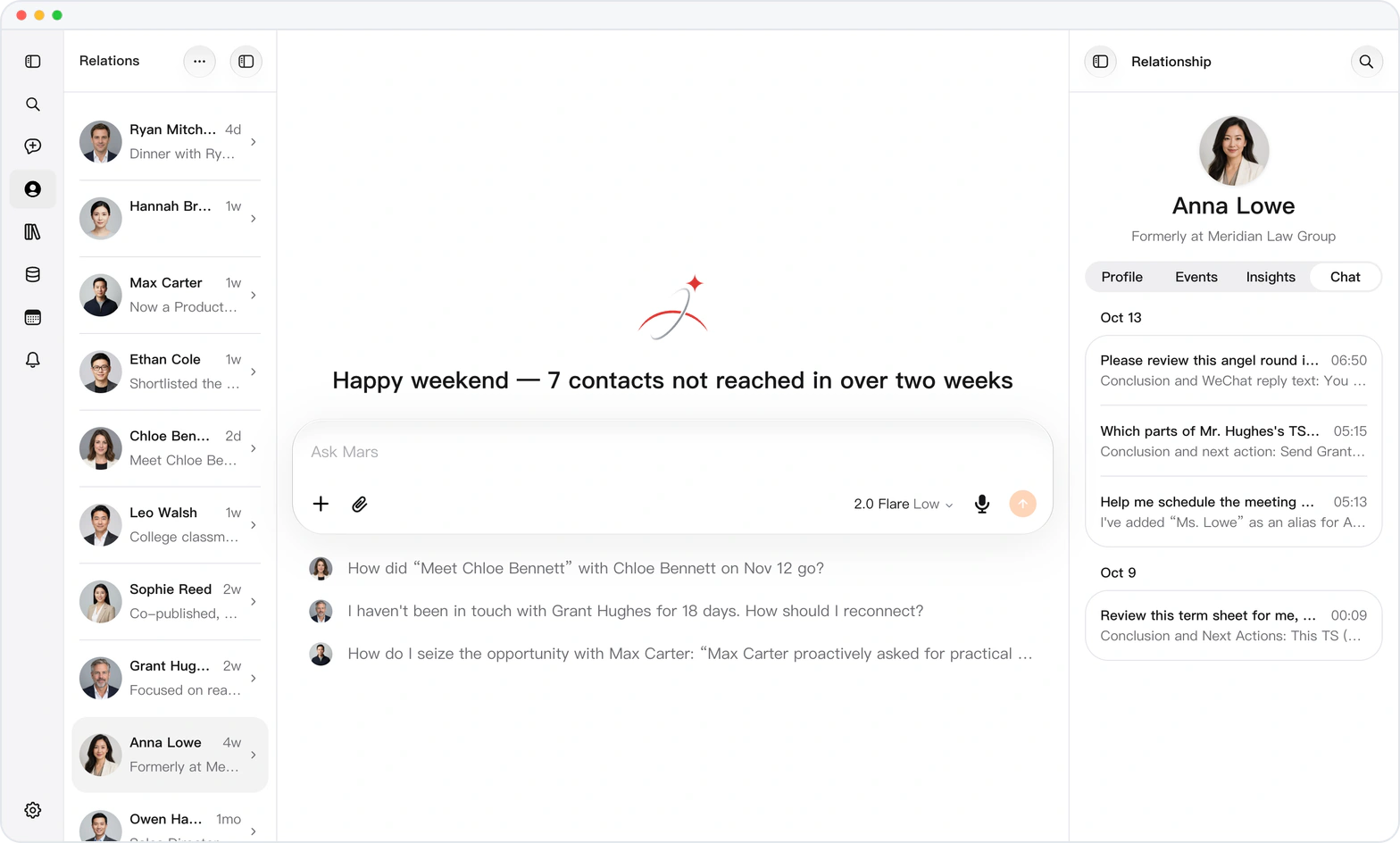
Where is a fact from? See conversation history
Read the conversation history for anyone in your network, and open the source of every fact in one tap, so no detail goes unchecked.
Open a person's profile and switch to the Conversations tab to see every chat and meeting transcript that mentions them. Inline reference capsules in answers and profile cards carry a category icon and name; tap one to open the person, event, Library file or original message, with no digging from memory.
The source of every fact, one tap away
Each contact's page holds information, events, relationships, insights and summaries, and each one is linked to its source. Inline reference capsules in answers and profile cards show a category icon and name; tap one to open the person, the event, the Library file or the original message. MarsDataAI keeps information, factual events, qualified insights and relationship summaries as separate kinds of record, and each record carries its source evidence. Open the original message from there to read the exact words.
Every related chat and transcript in one place
Open a person's profile and switch to the Conversations tab, and the conversation history for that person appears: every chat and meeting transcript that mentions them. Quote any line from this conversation or an earlier one, and the quote capsule points to that exact line. Tap the capsule to reopen the conversation, and MarsDataAI scrolls to the turn and marks only the quoted lines. Workspace search covers conversation text, and MarsDataAI can find an earlier conversation when you describe its topic.
Share a conversation behind a six-character password
Share creates a link to a conversation, and Stop sharing revokes it, so the old link stops working. In the share sheet, Access password protects the link with a random six-character password that you can retype. Viewers must enter it, and repeated wrong attempts pause the link. Once a conversation is shared, its menu offers View share, where you can see or change the password. The conversation history itself stays yours, and only the link you choose to share opens up.
Daily chats and long-term records stay connected, so every detail can be checked.
See the rest of Contact Dossier & Information Groups in MarsDataAI Wiki.