What does a contact management app keep?
A contact management app that fills in what you learn from chats, so every meeting starts with the background already sorted.
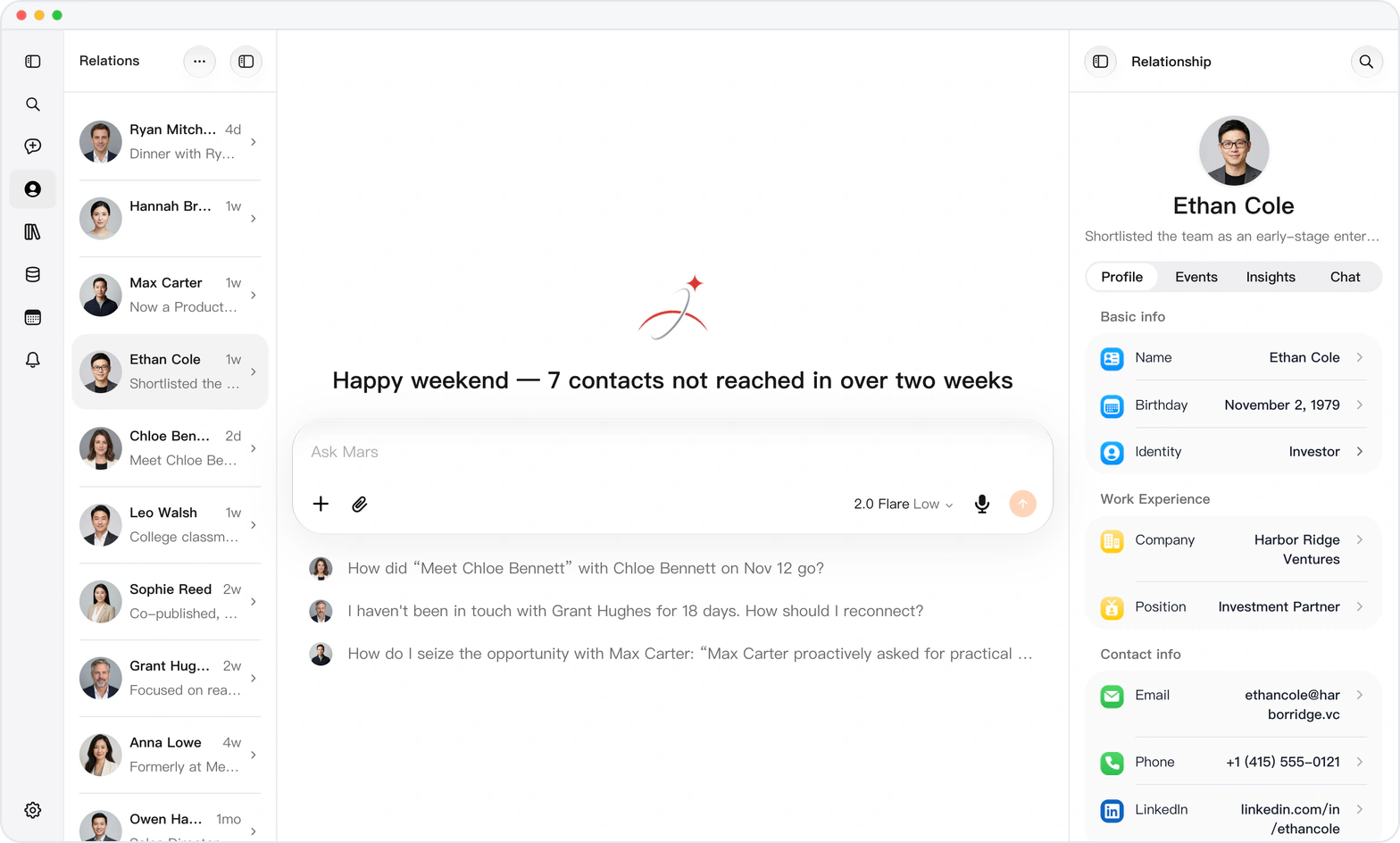
MarsDataAI pulls facts about people from your conversations, and you can add your own; all of them land in clear groups such as Basic Info, Family, Network, Business & Team, Tech & Tools and Mindset & Preferences. Each group has its own icon and colour, so you find things at a glance. Move a field to another group and the web, iOS and MarsDataAI's later answers all keep the new group and its colour.
Contact groups you can adjust field by field
Long-press or right-click a field on the contact's information view, then choose Move to group. Pick one of the other groups shown for that contact, and the field slides into it and takes that group's colour. Your choice is kept on every device, and later automatic recording never moves it back. MarsDataAI reads the field under the group you chose. A custom field whose name fits no group goes to Other information first, and you can move it from there. Your own information fields cannot be moved this way.
Automatic colour for every field and event
In a contact management app, colour follows meaning, so you cannot pick it by hand. A field takes the colour of its group: basic information is blue, work experience and financial items are yellow, family and upbringing are rose, and health and contact details are green. An event takes the colour of what it is about when that is known, such as work yellow or family rose. Otherwise its type decides, so calls, messages and emails are green and trips are cyan. Event colours cannot be changed.
One look before a call or meeting and you have the key background.
See the rest of Contact Dossier & Information Groups in MarsDataAI Wiki.