How to set up a WeChat AI chatbot in one scan
Want a WeChat AI chatbot without another app? Scan one QR code and MarsDataAI answers inside WeChat, with your reminders arriving in the same chat.
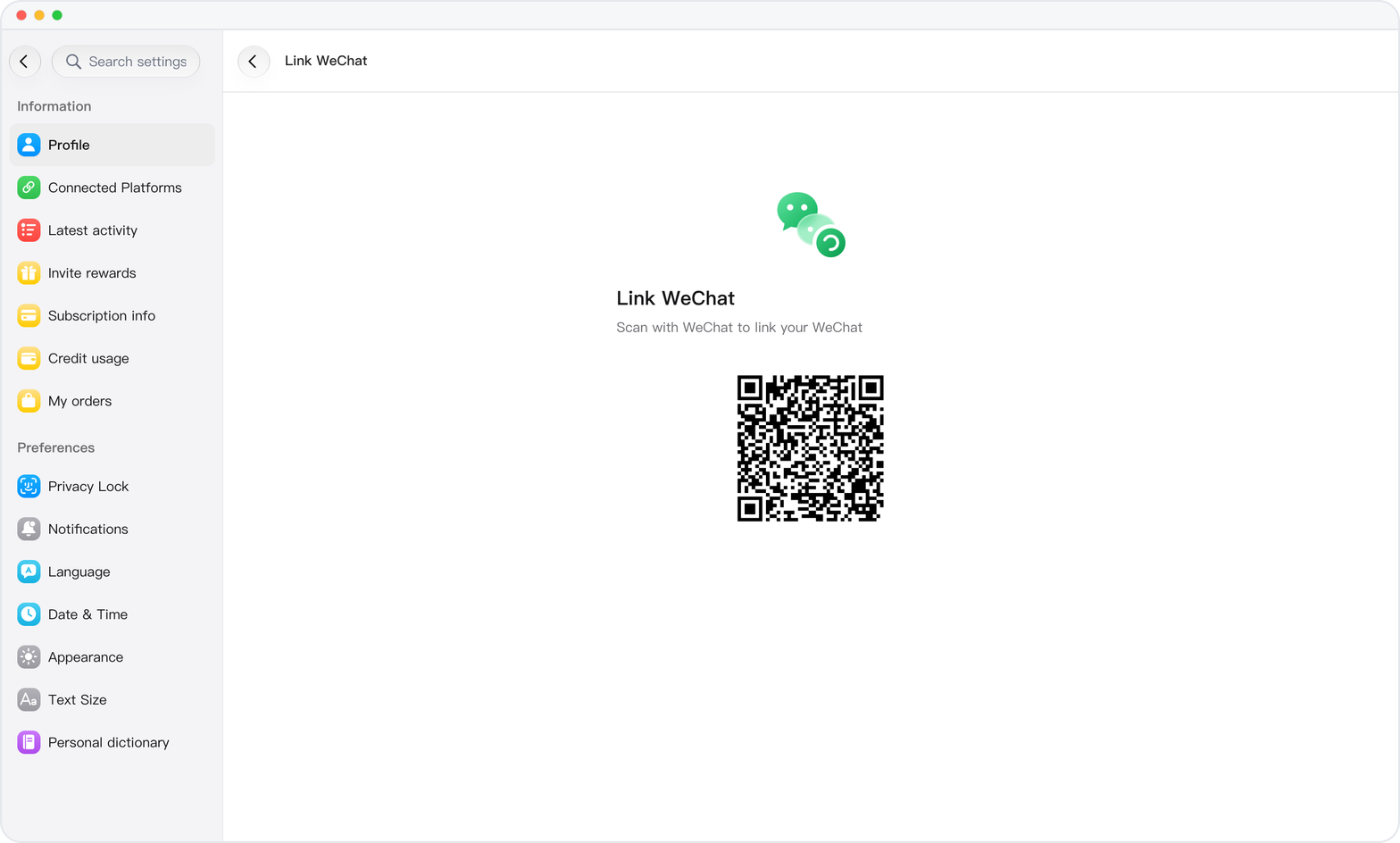
Open Settings, tap Link WeChat and scan the QR code with WeChat, then confirm in WeChat. From then on MarsDataAI is one more chat: send text, pictures, files or voice and it answers as it does in the app, and once you have chatted with MarsDataAI there recently, your event reminders arrive in the same WeChat. Instead of switching to a browser or another app, you ask where you already read messages.
Bind the WeChat AI chatbot in three steps
On the web or in the MarsDataAI app, open Settings and tap Link WeChat; a QR code appears. Open WeChat on your phone, scan the code and confirm the binding in WeChat. On a phone that only has MarsDataAI, save the QR code and tap Continue in WeChat, then scan the saved image from WeChat. Within seconds MarsDataAI returns to Settings and the Link WeChat row turns into a switched-on toggle. An expired code refreshes with one tap, so you never need to start over.
What you can do after scanning
Ask anything you would ask in the app: summarise a chat screenshot, read a file, look up a person in your relationships or add an event. Send pictures, files and voice messages as they are; MarsDataAI handles them and replies in the same chat. While it works, WeChat shows that MarsDataAI is typing. After a recent chat there, your event reminders arrive in the same WeChat too; when WeChat does not take one, it still reaches you through your other reminder channels. Send 新对话 whenever you want to start a fresh topic.
Stay in control of the binding
Your WeChat binding is the Link WeChat row in Settings, with its own switch. Turn it off there whenever you like: MarsDataAI asks once, then stops answering that WeChat and sends no more reminders to it. If WeChat ends the session on its side, the switch shows off; open it and one tap on Link again brings back a fresh QR code. After 20 WeChat turns, six quiet hours or a new day, MarsDataAI starts a new conversation on its own, so earlier answers never crowd out the question you are asking now.
MarsDataAI is always one WeChat message away, and no reminder gets lost in another inbox.
See the rest of Connected Platforms & Sync in MarsDataAI Wiki.