How to use Gmail AI search on a read-only inbox
Digging through Gmail for one contract thread wastes time. Connect Gmail read-only and ask MarsDataAI in plain words; it finds and reads the mail for you.
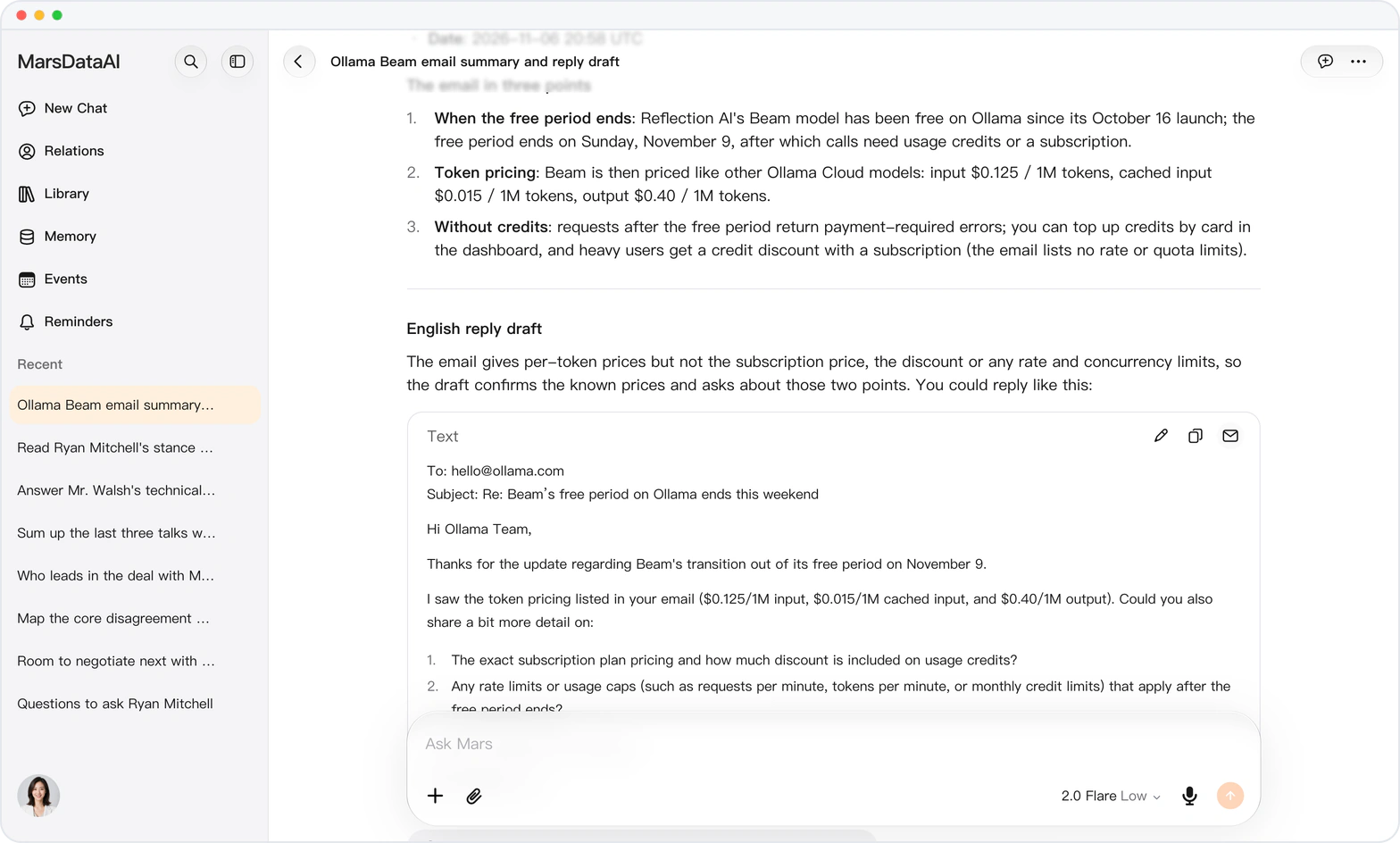
Open Connected Platforms and connect Gmail through Google's own consent page with read-only access. Then ask in chat, for example what a colleague sent about a contract last week: MarsDataAI searches your mail, reads the messages you asked about and answers with what it found. Unlike a keyword search, you ask the question you actually have. MarsDataAI never edits or sends mail; when you want to reply it drafts the message and opens it in Gmail for you to send.
Connect Gmail for AI search in under a minute
Open Settings, choose Connected Platforms and turn on the Gmail switch. Google's own consent page asks you to allow read-only access: your account email address, so MarsDataAI can show which account is connected, and your Gmail messages. Nothing else is requested. The connection is separate from the account you use to sign in to MarsDataAI, so you can link the mailbox that matters most. When the page returns, the switch stays on with the note Gmail is connected, and you can start asking right away.
What you can ask once Gmail is connected
Ask MarsDataAI to find mail by person, topic or time, such as the latest quote from a supplier or every message about next week's trip. Ask for a summary of a long thread before a meeting, or for the open questions in it. When you want to reply, MarsDataAI drafts the message with recipient, Cc and subject filled in, and Open in Gmail shows the ready draft: in a new tab on the web; on iPhone and iPad in the Gmail app when it is installed, otherwise in Gmail on the web.
Read-only by design, and easy to disconnect
MarsDataAI only asks Google for read-only access, so it cannot send, delete or change your mail. Reading a message does not save it to your records. Turn off the Gmail switch in Connected Platforms and confirm whenever you like: MarsDataAI deletes its stored token, revokes access on Google's side and stops reading your mail. You can also remove access from your Google account permissions page.
Answers come straight from your real mail, and every message that leaves is still your decision.
See the rest of Connected Platforms & Sync in MarsDataAI Wiki.