How to lock your private AI assistant
A private AI assistant should keep your conversations and relationship memory to yourself, even on a device someone else picks up.
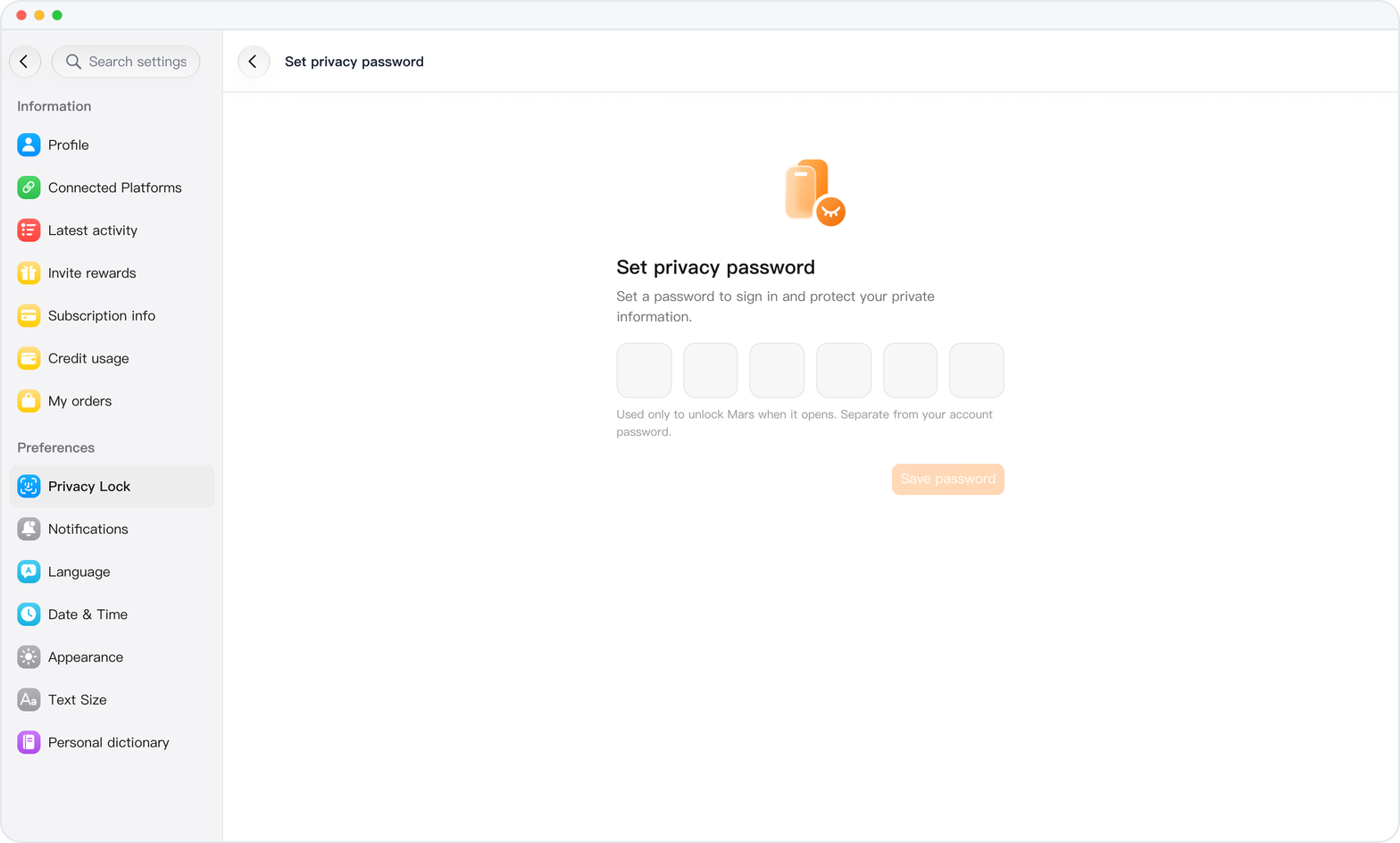
Set a 6-digit privacy PIN under Settings > Privacy Lock and MarsDataAI asks you to verify every time it opens, even on an unlocked or shared device; use Face ID or Touch ID on iOS, or register a passkey in your browser. Under Account & Security, manage your phone number, email and password at any time, or sign in with Apple on iOS in one tap.
How the privacy lock checks you on every open
Set a 6-digit privacy PIN under Settings, then open Privacy Lock. From then on, MarsDataAI asks you to verify each time it opens, even on an unlocked or shared device. On iOS, Face ID or Touch ID is also supported as an unlock method. In a browser you can register a passkey instead. The check runs at every open, so a phone left on a desk does not reveal the conversations inside MarsDataAI.
Manage your sign-in and account security
Under Account and Security, you can manage your phone number, email and password at any time. On iOS, you can sign in with Apple in one tap. MarsDataAI does not sign in to other websites or apps for you. It takes no cookies, passwords or login sessions for sites such as X, and it keeps no login state. Each public web read is a single, stateless request, so your accounts never travel with it.
Why a private AI assistant keeps you in charge
For this private AI assistant, privacy means control. You choose the lock, the sign-in method and your contact details, and you can change them later. When a page asks for a login or a verification check, MarsDataAI says it could not read the content rather than guessing it. MarsDataAI never reaches into your private accounts on your behalf, so the access you grant stays the access you can see and manage.
When someone else picks up your phone or laptop, your conversations and memory stay out of sight.
See the rest of Account Security, Privacy Lock & Preferences in MarsDataAI Wiki.